
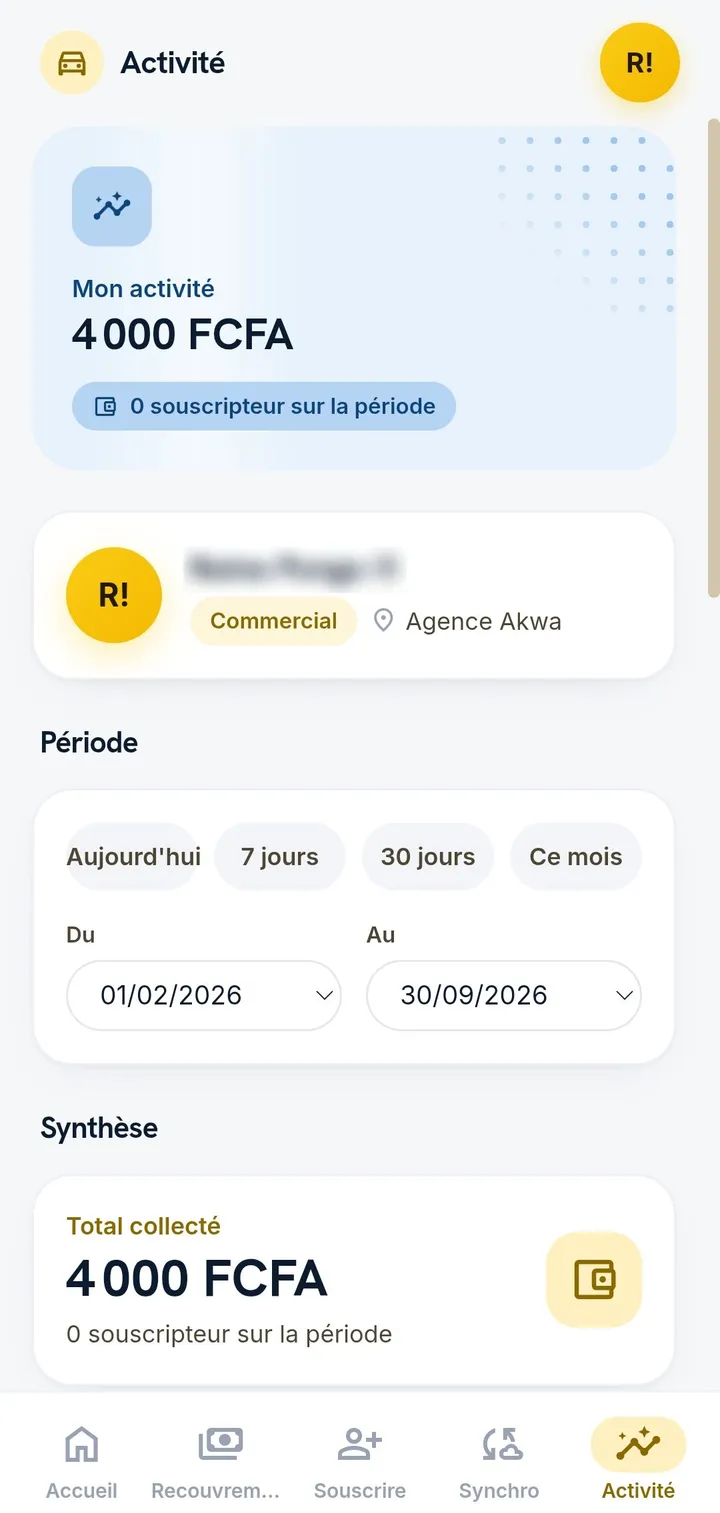
The Android app for the field
It is built for sales agents and teams who work away from the office, including on entry-level phones.
- Registrations and collections offline, with no loss.
- Fingerprint unlock.
- Summary of the sales day, by agent and by branch.
- Automatic synchronisation as soon as the network returns.
The Windows app for branches
It runs on Windows 10 and Windows 11, and installs on every computer in your branches. It is included in your Hopenn Drive plan.
- Work without internet: your entries continue during an outage.
- Always in sync: your data updates by itself when the connection returns.
- Fast: it relies on the local copy of your data, with no waiting for the network on every click.
- Always up to date: new versions install themselves, with nothing to download again.
Install the Windows app in two clicks
On first launch, Windows may show a security message. If it does, click "More info", then "Run anyway".
- Open the downloaded file, shown by your browser.
- Click "Finish": the app opens straight on the sign-in screen.
No installation required
You can also use Hopenn Drive in the browser of your computer or phone, with your usual credentials. For faster access and offline use, install it from the browser.
What the app changes compared with the browser:
- It opens without an internet connection.
- It goes straight to the sign-in screen.
- A desktop icon and a dedicated window.
The same data on all your devices
Whether you use the browser, the Android app or the Windows app, you find the same files, the same schedules and the same payments. Each role only sees what concerns it.
Frequently asked questions
Is the Windows app paid?
It is included in your Hopenn Drive plan.
Which versions of Windows does it support?
Windows 10 and Windows 11.
Are updates automatic?
Yes. New versions install themselves, with nothing to download again.
