
What you can do without internet
An outage should not stop a working day. Offline, you keep working normally:
- View your data and enter new data without a network.
- Register new students, with no loss.
- Record collections, with no loss.
- Find everything you entered as soon as the network is back.
How synchronisation works
Your entries are kept on the device. As soon as the connection is back, they are sent automatically and the whole team's data is updated, without you having to re-enter anything.
During the outage, your data stays safe on your computer. Afterwards, it synchronises by itself.
For sales agents in the field
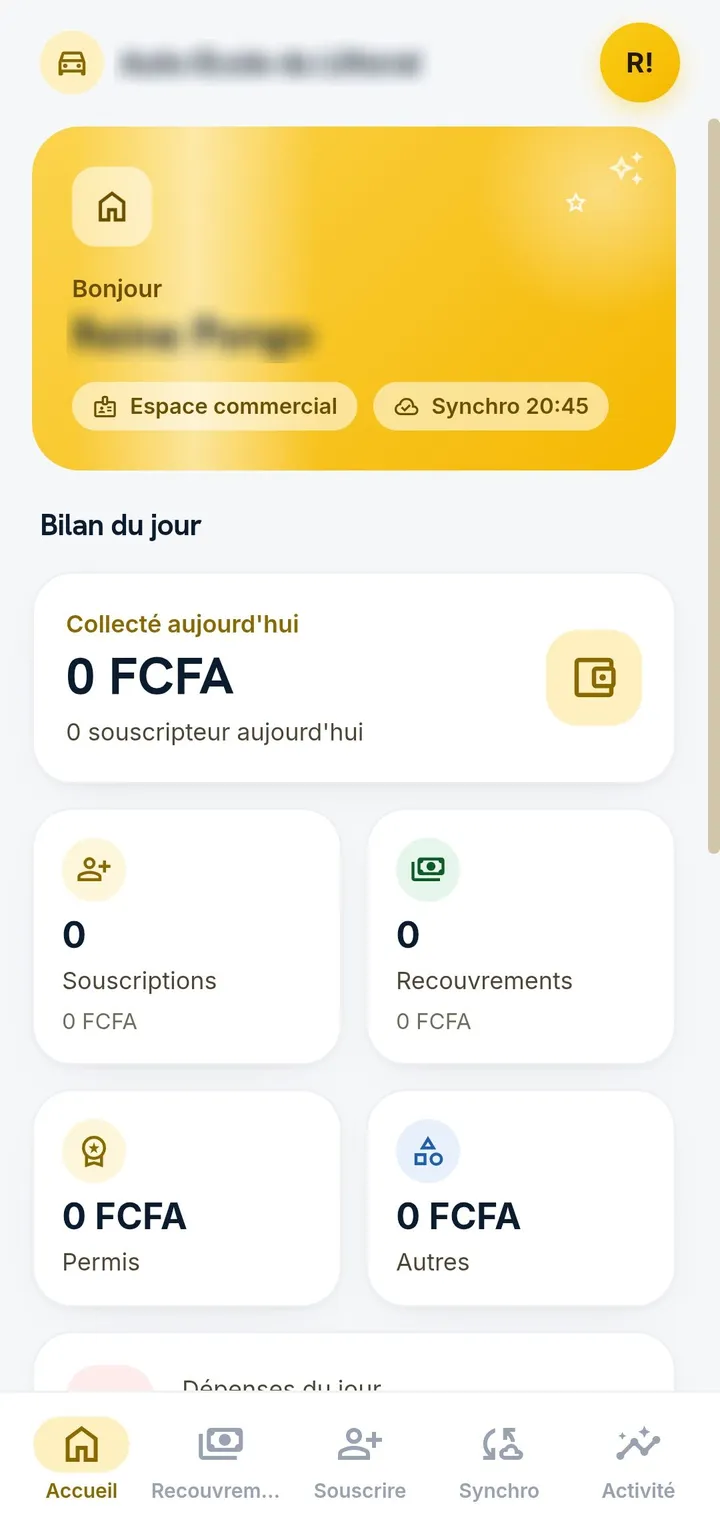
The Android app keeps everything on the phone and synchronises as soon as the network returns. The branch follows each agent's sales day.
- Registrations and collections offline, with no loss.
- Fingerprint unlock.
- Summary of the sales day, by agent and by branch.
- A light app, built for entry-level phones.
For branches: the Windows app
The Windows app opens even without an internet connection, straight on the sign-in screen, with a desktop icon and its own window.
Once installed, it starts without reloading anything: screens, searches and entries rely on the local copy of your data, with no waiting for the network on every click.
The same tracking rules, online or not
Payments are never deleted: a cancellation creates a reverse entry. The audit log keeps track of who did what, and each branch only sees its own data.
Frequently asked questions
What happens if the connection drops while I am entering data?
You keep working normally. Everything updates automatically as soon as the connection is back.
Do I need to re-enter data after an outage?
No. Everything restarts automatically when the network returns, with nothing to re-enter.
Which devices support offline mode?
The Android app, the Windows app, and the browser when the app is installed there.
